Introduction: Process of Reset Nafath Password
If you use government services in Saudi Arabia. You already know how important the Nafath app is. It is required for almost everything now.
So when you forget your Nafath login password or PIN, it can feel stressful. I have been there and the good news is this.
Resetting your Nafath password is actually very easy.
In this guide i will walk you through the exact steps I use to reset the Nafath password using the mobile app without confusion.
Requirements to Reset Nafath Password
Before starting, make sure you have everything ready. This will save you time.
You need:
- An active Nafath account
- Your Absher password
- Access to the mobile number registered with Absher
- The Nafath app installed on your phone
You can download the app from:
Once these are ready, you can proceed.
If you don’t Know how to register Nafath Account. Here is the Full Guide: Registration Process of Nafath App
When Do You Need to Reset Nafath Password
You usually need to reset your Nafath password when:
- You forgot the 6-digit PIN
- Nafath asks for a password you cannot remember
- You are unable to approve a Nafath request
- You changed phones and cannot log in
If you are already log in but forgot the PIN, you must log out first.
How to Reset Nafath Login Password
Now comes the main part. This is straightforward if you follow each step calmly.
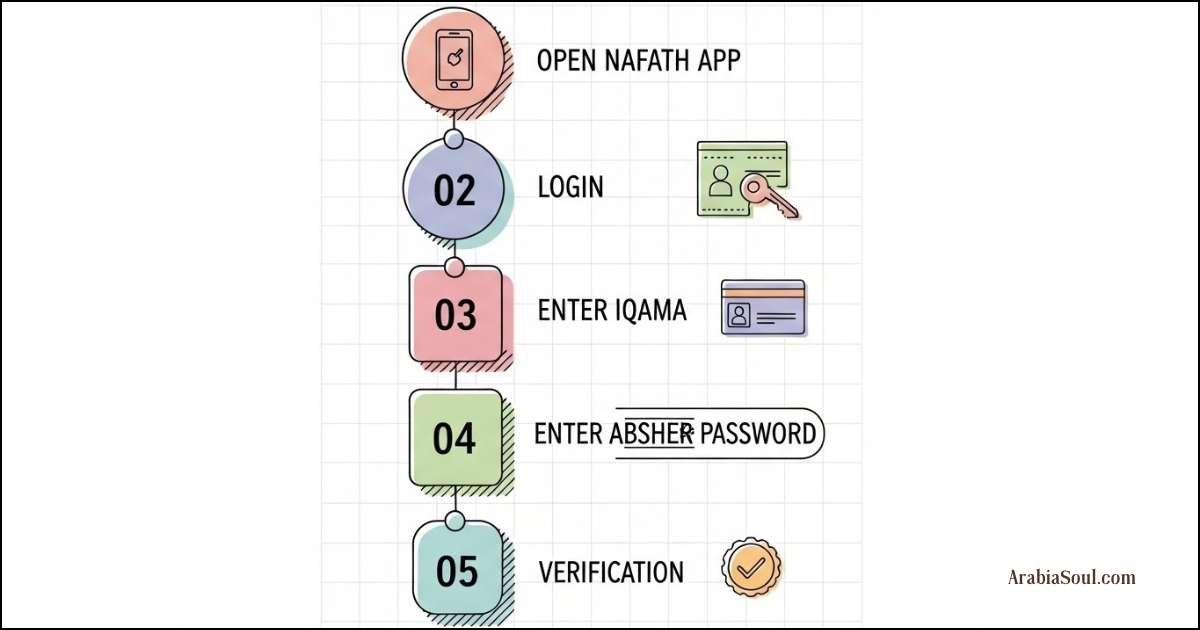
Step to Step Nafath Password Reset
- Open the Nafath application
- Tap on Log in
- Enter your Iqama Number
- Enter your Absher password
After verification, the Nafath app will ask you to set a new PIN.
Create a New Nafath PIN
At this stage:
- Enter a new 6-digit PIN
- Confirm the PIN
- Complete verification if requested
So Yes, Its Like a Registration Process just Some Difference.
Your Nafath login password has been reset successfully.
I strongly recommend choosing a PIN you can remember easily, because you will need it frequently.
Where You Need Nafath Password the Most
Your Nafath PIN is required almost daily now. You will need it to:
- Apply for a Family Visit Visa
- Open a bank account in Saudi Arabia
- Claim insurance after a car accident
- Download a GOSI certificate
- Access government portals linked with Absher
That’s why using a familiar PIN really helps.
How to Log Out from Nafath App
If you are login but cannot remember the passcode, follow these steps carefully.
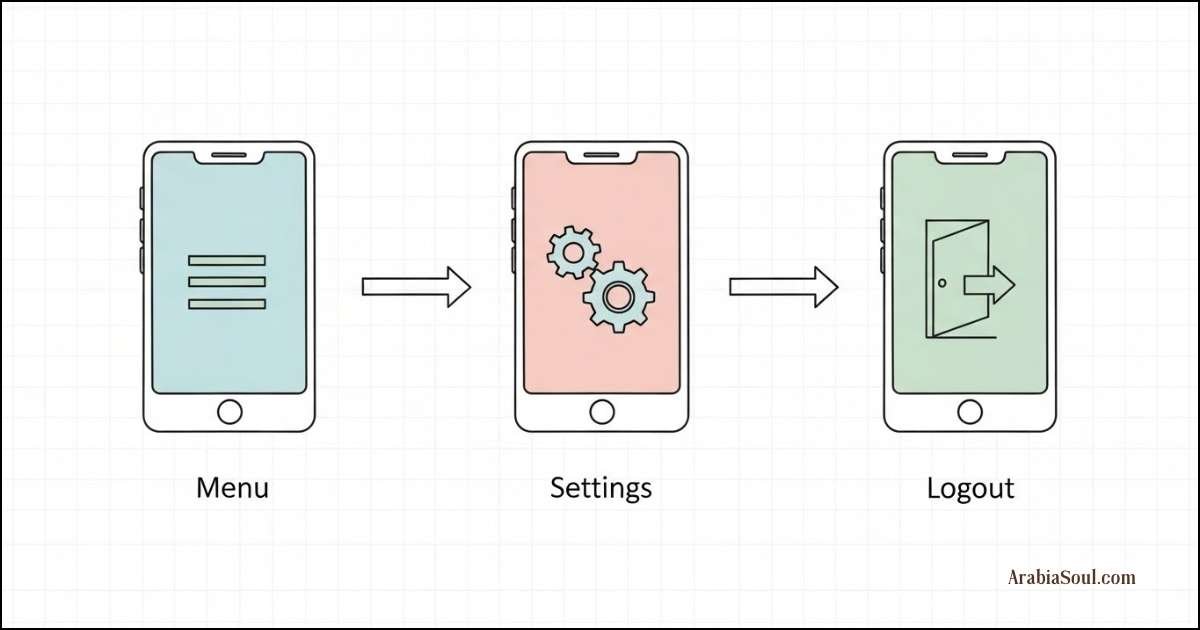
Steps to Log Out
- Open the Nafath app
- Tap the three lines in the upper left corner
- Select Settings
- Click on Logout
Once you log out successfully. You are ready to reset the password.
Important Tips From Experience
Here are a few things I learned the hard way:
- Do not share your Nafath PIN with anyone
- Keep your Absher account active
- Make sure your mobile number matches Absher records
- Reset the PIN immediately if you suspect misuse
- Always approve Nafath requests only from official portals
These small habits protect your digital identity.
Common Problems and Quick Solutions
If reset does not work, check this:
- Absher password is correct
- Mobile number is active
- Internet connection is stable
- Face verification permissions are enabled
If the issue continues, wait a few minutes and try again.
Final Thoughts
Forgetting your Nafath password is common and there is no need to panic. The reset process is simple and fully handled through the app.
Once you reset it, you can continue using all Saudi government services without interruption.
If this guide helped you, share it with someone who might be stuck with Nafath login issues.