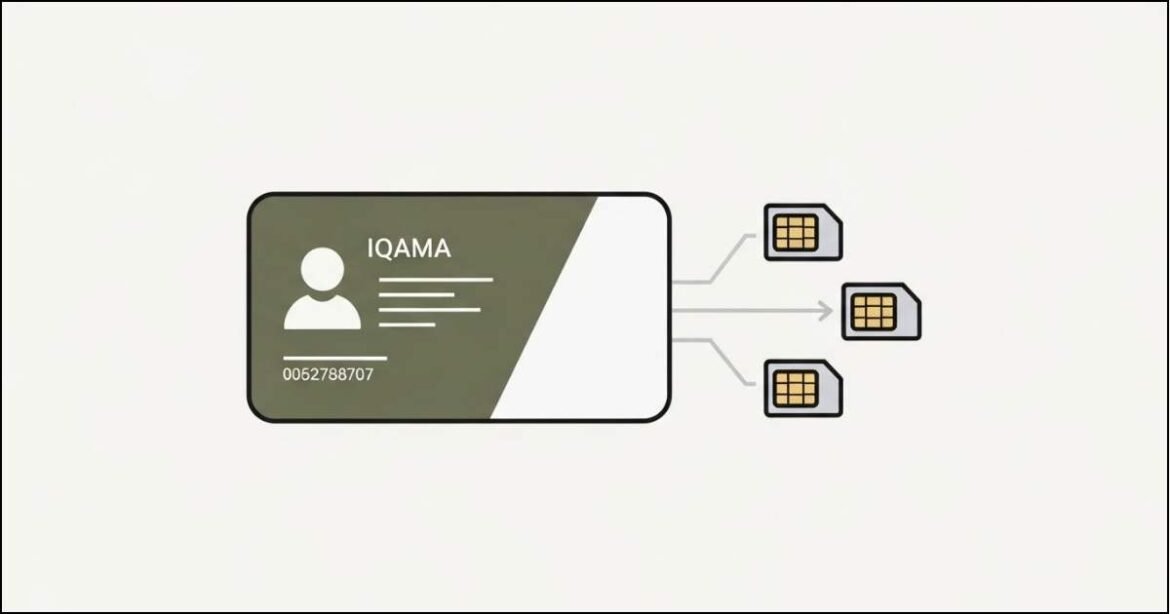
If you are living in Saudi Arabia, your Iqama is linked to your mobile numbers. Many people don’t realize how many SIM cards are registered under their name. Sometimes SIMs are active without your knowledge. That can cause problems.
So yes, checking SIM cards on your Iqama is not just smart. It is necessary.
I will explain everything to you. Just follow the steps. No confusion.
Why You Should Check SIM Cards Registered on Iqama
Let me explain this clearly.
If unknown SIM cards are registered under your Iqama you may face:
- Legal issues
- Unexpected bills
- Identity misuse
- Problems during SIM verification
That is why Saudi government provides official tools to check this information.
How Many Ways to Check SIM Cards on Iqama
There are Five official ways to check SIM cards registered under your Iqama:
- Using CST Mutasil website (with mobile number)
- Using CST Mutasil website (without mobile number)
- Via SMS from telecom companies
- Using CST Mobile app
- Using Nafath Portal
I will explain each method step by step.
Method 1: Check SIM Cards on Iqama Using CST Website (With Mobile Number)
This method is best if you already have a SIM registered under the Iqama.
Steps:
- Open the CST Official Website
- Enter your Iqama number
- Enter your Date of Birth
- Select Yes for mobile number
- Enter any mobile number registered under your Iqama
- Enter the captcha code
- Click Inquire
- Enter the OTP sent to your mobile
After verification the system will show:
- All SIM numbers
- Telecom companies
- SIM status (active or inactive)
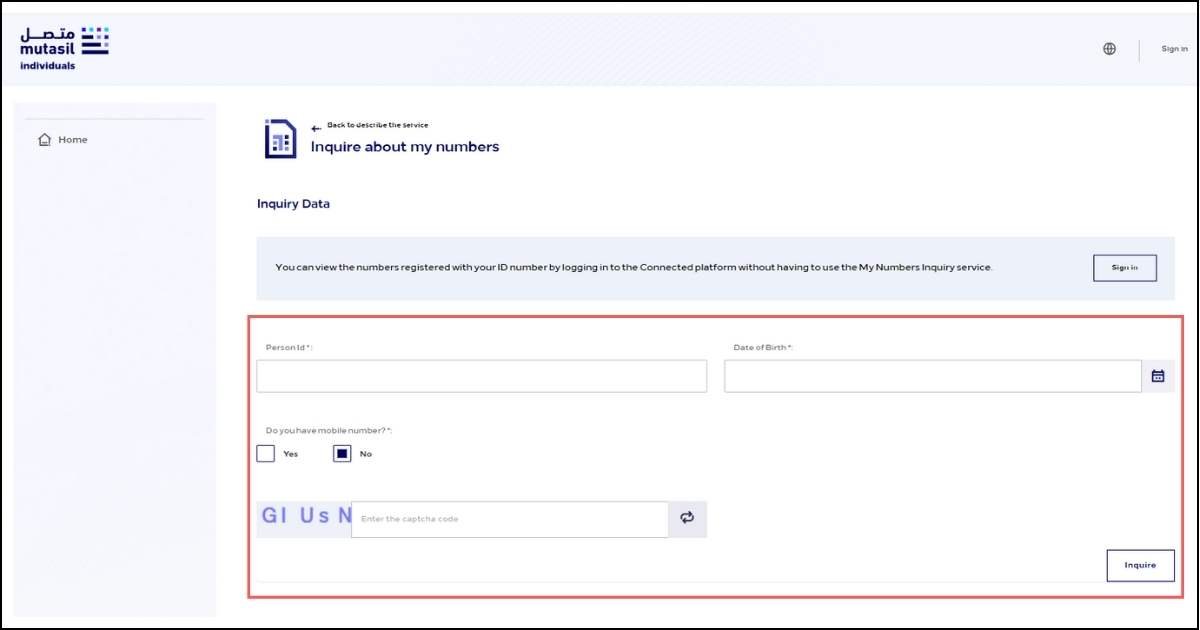
Method 2: Check SIM Cards on Iqama Without Mobile Number
If you don’t have access to any registered SIM, don’t worry.
Steps:
- Open Mutasilind.cst.gov.sa website
- Enter your Iqama number
- Enter your Date of Birth
- Select No for mobile number
- Enter captcha
- Click Inquire
In this case:
- You will see telecom company names only
- Mobile numbers will not be shown
This method still helps you know which companies have SIMs under your name.
Method 3: Check SIM Cards on Iqama Using SMS
This method works if you want to check SIMs of a specific telecom company.
SMS Codes by Company
- STC: Send 9988 to 902
- Mobily: Send blank SMS to 616166
- Zain Saudi Arabia: Send blank SMS to 700123
- Virgin Mobile Saudi Arabia: Send blank SMS to 1789
You will receive a reply showing all SIMs registered under your Iqama with that company.
Method 4: Check SIM Cards Using CST App
If you prefer mobile apps. This is a very easy option.
Steps:
- Download CST app (هيئة الاتصالات)
- From PlayStore and Apple Store
- Open the app
- Login using Nafath National Access
- Verify OTP
- Select My Numbers
The app will show:
- All SIM cards
- Data SIMs
- Active and inactive numbers
This method is very fast and user friendly.
Method 5: Check SIM Cards on Iqama Using Nafath
You can also check SIM cards through Nafath.
Steps:
- Open the Nafath portal
- Login with Absher Login Details: Iqama and password
- Verify OTP
- Go to services
- Select CST or Communications services
You will see all SIM numbers registered under your Iqama.
SIM Card Limits on Iqama in Saudi Arabia
According to Saudi regulations:
- Maximum 2 prepaid SIMs
- Maximum 5 postpaid SIMs
- Unlimited internet data SIMs
These limits apply to voice SIMs only.
Can You Find Iqama Number Using Mobile Number
No. This is not allowed.
Telecom companies are not permitted to share:
- Iqama number
- Owner name
This rule protects user privacy.
What to Do If You Find Unauthorized SIM Cards
If you see a SIM that you did not register:
- Contact the telecom company immediately
- Request SIM cancellation
- Visit a branch if required
Do not ignore this issue.
Why Regular SIM Checks Are Important
Checking SIM cards helps you:
- Prevent fraud
- Protect identity
- Avoid surprise bills
- Stay legally safe
I personally recommend checking at least once every few months.
Frequently Asked Questions
How can I check how many SIM cards are on my Iqama
Use CST Official website or app and verify with OTP.
Can I check SIMs without a mobile number
Yes. CST portal allows this option.
Is this service free
Yes. All official SIM check services are free.
Which authority manages SIM registration
The Communications, Space & Technology Commission manages it
Final Words
Keeping track of SIM cards registered under the Iqama is very important in Saudi Arabia. The government has made it easy using CST Mutasil, Nafath and SMS services.
Just follow the steps explained above. It takes only a few minutes and gives you peace of mind.
I hope this guide help you to understand how to check SIM cards registered on Iqama 😊.
Read: Check STC SIM Number in Saudi Arabia